Application Allowlisting: Benefits, Types & Real-World Use
Published: 11 Nov 2025
Imagine protecting your organization’s systems so securely that only approved, trusted apps can run while malware is stopped before it even starts. That’s the power of application allowlisting (formerly known as whitelisting), a proactive cybersecurity strategy that flips the traditional defense model.
This guide explains how to:
- Prevent modern threats, such as ransomware and zero-day exploits, before they can cause damage.
- Understand the main types of application allowlisting and how they work.
- Discover key benefits supported by real-world examples and data.
- Implement allowlisting effectively in both enterprise and small business environments.
By the end, you’ll understand why application allowlisting is a core element of a Zero Trust Security strategy.
Explore what application allowlisting is and why it matters
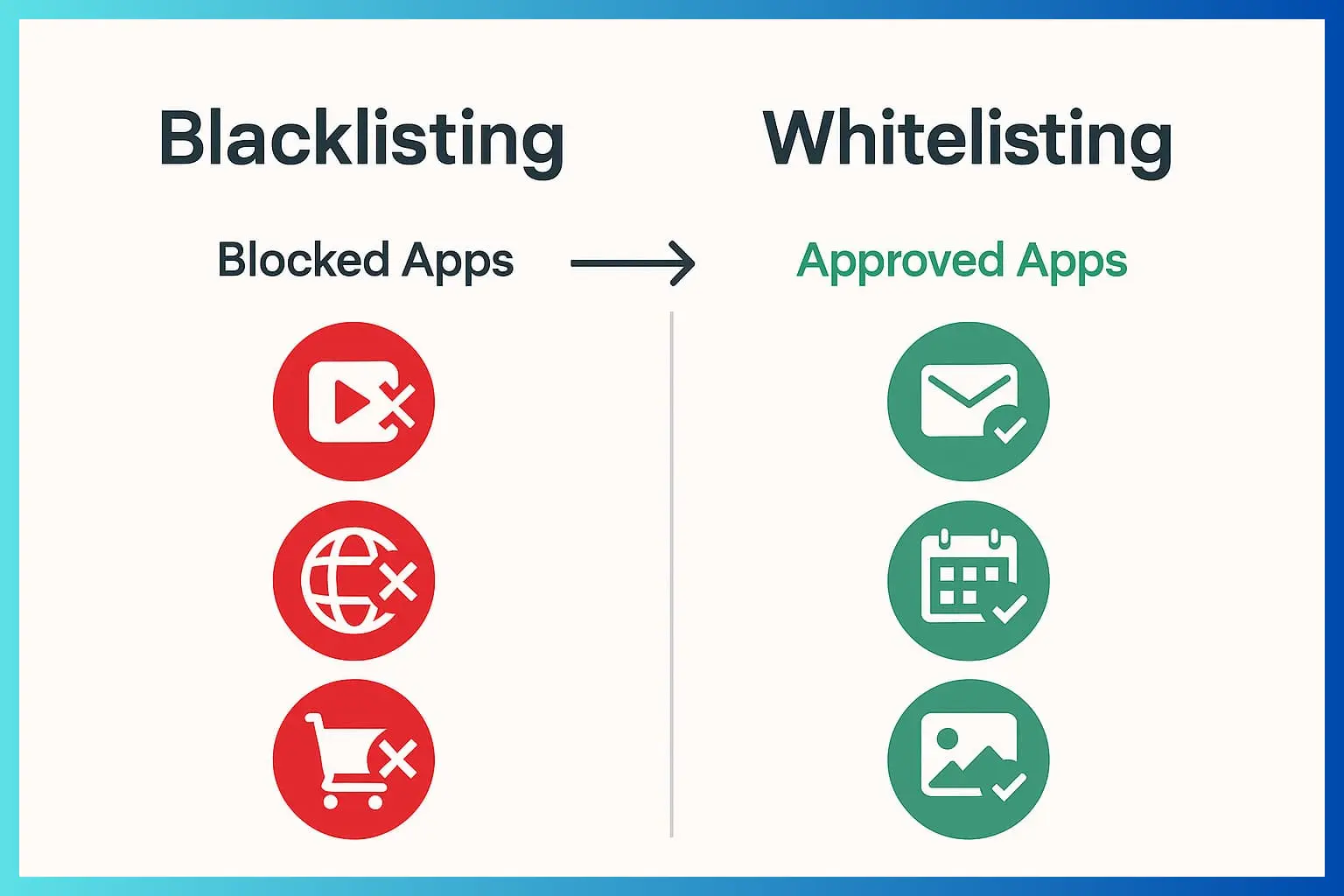
Application allowlisting is a security practice where you create a list of approved software, and only those programs (plus their components, such as libraries,shared collections of code, or plugins, add-on functionality) are allowed to execute on your network or endpoints. Everything else? Blocked by default.
Unlike blacklisting, which reacts to known bad apps, allowlisting is proactive, it assumes nothing is trusted until proven otherwise. The National Institute of Standards and Technology (NIST) recommends it for high-risk environments, like critical infrastructure, where unrestricted software could lead to disaster (NIST Special Publication 800-167).
💡 Example:
If a company’s whitelist allows only trusted apps such as Microsoft Office and Google Chrome, any unknown software, even disguised malware, will be automatically blocked.
📊 Fact:
According to Ponemon Institute’s 2024 Cybersecurity Report, organizations using allowlisting experienced 73% fewer malware intrusions than those relying solely on antivirus tools.
Key Takeaway:
In a world where cyberattacks rose 105% year-over-year according to the 2023 IBM Cost of a Data Breach Report, allowlisting shifts you from playing defense to enforcing a “zero trust” mindset for apps.
Key Components of Allowlisting
An application allowlist defines which files, executables, and digital assets are permitted to run in your environment.
A complete allowlist can include:
- Software executables: .exe, .bat, .sh, or other runnable files
- Dynamic libraries (DLLs): Dependencies that support core applications
- Scripts and macros: Automated sets of instructions written in languages such as PowerShell (a Windows command-line shell), Python (a general-purpose programming language), or VB (Visual Basic, used for automation in Microsoft Office), that perform automated tasks.
- Plugins and browser extensions: Additional modules often used in browsers and IDEs
- Configuration files: .ini, .xml, or .json files that store system settings
To maintain integrity, each of these components is validated using cryptographic hashes (unique digital fingerprints for files), digital signatures (proof that a file came from a trusted source), or file path verification (ensuring the file is found in a trusted location).
Administrators then manage the whitelist through centralized tools like Microsoft AppLocker, Ivanti Application Control, or Symantec Endpoint Protection.
💡 Think of allowlisting as a digital “guest list.” If your name (or in this case, your file signature) isn’t on it, you don’t get in.
Types of Application Allowlisting: From Basic to Bulletproof
Different organizations use various approaches to allowlisting, depending on their infrastructure, risk tolerance, and management resources. Below are the five primary types, from simplest to most advanced.
1️⃣ File Path Allowlisting
This method approves execution based on a file’s storage location.
If a program resides in a designated trusted folder (e.g., C:Program FilesTrustedApps), it’s allowed to run.
✅ Pros:
- Simple to configure
- Compatible with most operating systems
- Easy for small IT teams to manage
⚠️ Cons:
- Vulnerable if attackers place malicious files inside trusted directories
- Doesn’t verify file integrity or authenticity
Example:
Allow only programs within “C:Program FilesTrustedApps” to execute — blocking any executable outside that directory.
⚙️ Best for controlled environments with limited user privileges.
2️⃣ File Name Allowlisting
Approves or denies execution based on file names alone.
For example, “chrome.exe” may be permitted, while other executables are not.
✅ Pros:
- Fast and easy to deploy
- Lightweight — minimal processing overhead
⚠️ Cons:
- High spoofing risk: attackers can rename malware to mimic trusted files
- Doesn’t confirm the source or authenticity of the file
Example:
Allow execution of chrome.exe — but this doesn’t prevent a fake chrome.exe from running if it’s placed elsewhere.
🧠 Best used only in low-risk or temporary setups.
3️⃣ File Size Allowlisting
A lesser-known but valuable approach, this method allows files to run only if they fall within expected size ranges.
✅ Pros:
- Useful for detecting anomalies like oversized, tampered executables
- Adds an extra layer when combined with other techniques
⚠️ Cons:
- Alone, it’s insufficient for strong security
- Legitimate updates may change file sizes, requiring manual adjustments
Example:
Reject executables over 100MB, assuming most approved apps are smaller.
💡 Ideal as an “additional filter” in layered allowlisting strategies.
4️⃣ Cryptographic Hash Allowlisting
This is one of the most secure and reliable methods.
Each approved file is assigned a unique cryptographic hash (such as SHA-256, which generates a specific code representing a file’s contents). Only files with matching hashes can execute.
✅ Pros:
- Prevents execution of even slightly modified malware
- Excellent for compliance-driven industries (finance, defense, healthcare)
⚠️ Cons:
- Every legitimate software update changes its hash, requiring maintenance
- Slightly more resource-intensive
Example:
Allowlist a specific version of “Word.exe” verified by its SHA-256 hash. Any file with a different hash, even if named the same, will be blocked.
🔒 Best for high-assurance environments requiring precision control.
5️⃣ Digital Signature / Publisher Allowlisting
This method approves execution based on the digital certificate or publisher identity (a digital signature that verifies the software’s creator) embedded in the software.
Only applications signed by trusted vendors (like Microsoft, Adobe, or Google) are permitted.
✅ Pros:
- Trusted vendor model, allows broad, secure control.
- Automatically validates authenticity and integrity.
- Scales well for enterprise environments.
⚠️ Cons:
- Relies on external certificate authorities (CA).
- Certificates can be stolen or revoked, so vigilance is required.
Example:
Only allow programs signed by “Microsoft Corporation” or “Adobe Systems Incorporated.”
🧠 Ideal for large organizations that rely on multiple vendor solutions but need guaranteed authenticity.
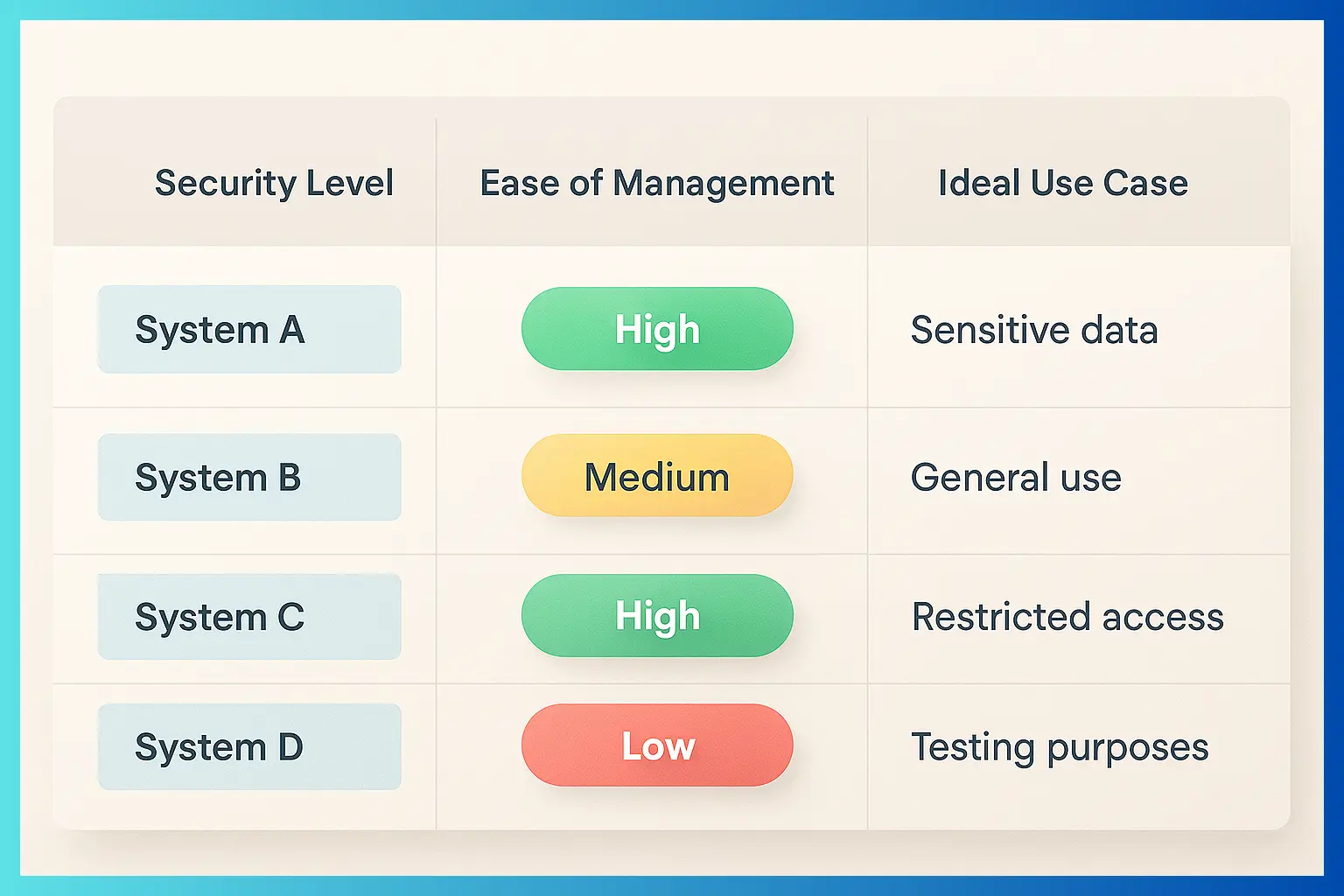
🧭 Pro Tip: Combine Methods for Maximum Security
The most effective allowlisting strategies layer multiple techniques, for example:
- Use hash whitelisting for internal apps.
- Apply publisher validation for vendor software.
- Enforce path restrictions for user directories.
This hybrid approach minimizes false positives and maximizes protection.
Real-World Example:
The U.S. Department of Defense mandates digital signature allowlisting on its endpoints via Windows Defender Application Control (WDAC), preventing unsigned malware in 99.9% of cases, according to internal audits.
How Application Allowlisting Differs from Application Control
People often mix up application allowlisting and application control, but they’re not the same. Both block unauthorized software, but here’s the breakdown:
- Application Allowlisting: Real-time monitoring at the OS (operating system) level. It blocks unapproved executables (program files), scripts (such as PowerShell exploits, which use automated commands in attacks like ransomware), and even fileless attacks (threats that run in memory instead of on disk). Tools like Microsoft AppLocker or Carbon Black enforce this dynamically.
- Application Control: Focuses solely on installation. It checks packages against an approved list but ignores already-installed files or portable executables. Less effective against modern threats—ransomware, such as WannaCry, bypassed basic controls by exploiting existing vulnerabilities.
Pro Tip: Allowlisting is stricter and more comprehensive, making it an ideal defense against ransomware. A 2022 Ponemon Institute study found organizations using allowlisting reduced successful ransomware incidents by 68%.
Key Benefits of Application Allowlisting
Allowlisting is more than blocking threats, it enhances productivity and supports compliance. Here are its key advantages with supporting evidence.
1. Prevents Zero-Day and Ransomware Attacks
- Zero-day exploit unknown vulnerabilities; allowlisting stops them cold by denying execution.
- Ransomware often uses living-off-the-land techniques (e.g., legit tools like PsExec). allowlisting blocked 87% of ransomware in a 2024 CrowdStrike report.
- Stat: Organizations with whitelisting saw 50% fewer breaches (Verizon DBIR 2023).
2. Gives IT Admins Total Control Over Deployments
- Decide exactly what runs on hosts—no rogue apps from employees.
- Enforces software standardization, resulting in a 40% reduction in support tickets (Gartner).
3. Simplifies Administration and Maintenance
- Once set up, it’s “set it and forget it” for stable environments.
- Automated tools (e.g., Ivanti or Symantec) handle approvals via rulesets.
- Tip: Begin with a baseline scan of your environment using tools like Sysinternals Autoruns to establish your initial whitelist.
4. Delivers High-Level Security for Trusted Software Only
- Blocks unauthorized programs, scripts, and even browser extensions.
- Enhances resource management by prioritizing traffic for approved apps.
- Trust Factor: Compliant with standards like PCI DSS, HIPAA, and CMMC—essential for regulated industries.
5. Boosts Productivity and Resource Efficiency
- Prevents bloatware from hogging CPU/RAM.
- In SMBs with 10–50 apps, deployment takes days, not weeks (Microsoft case studies).
Zero-Click Summary:
Whitelisting = Proactive blockade + Admin control + Malware-proofing. Result: 68% ransomware reduction (Ponemon).
Application Allowlisting Use Cases: Who Benefits Most?
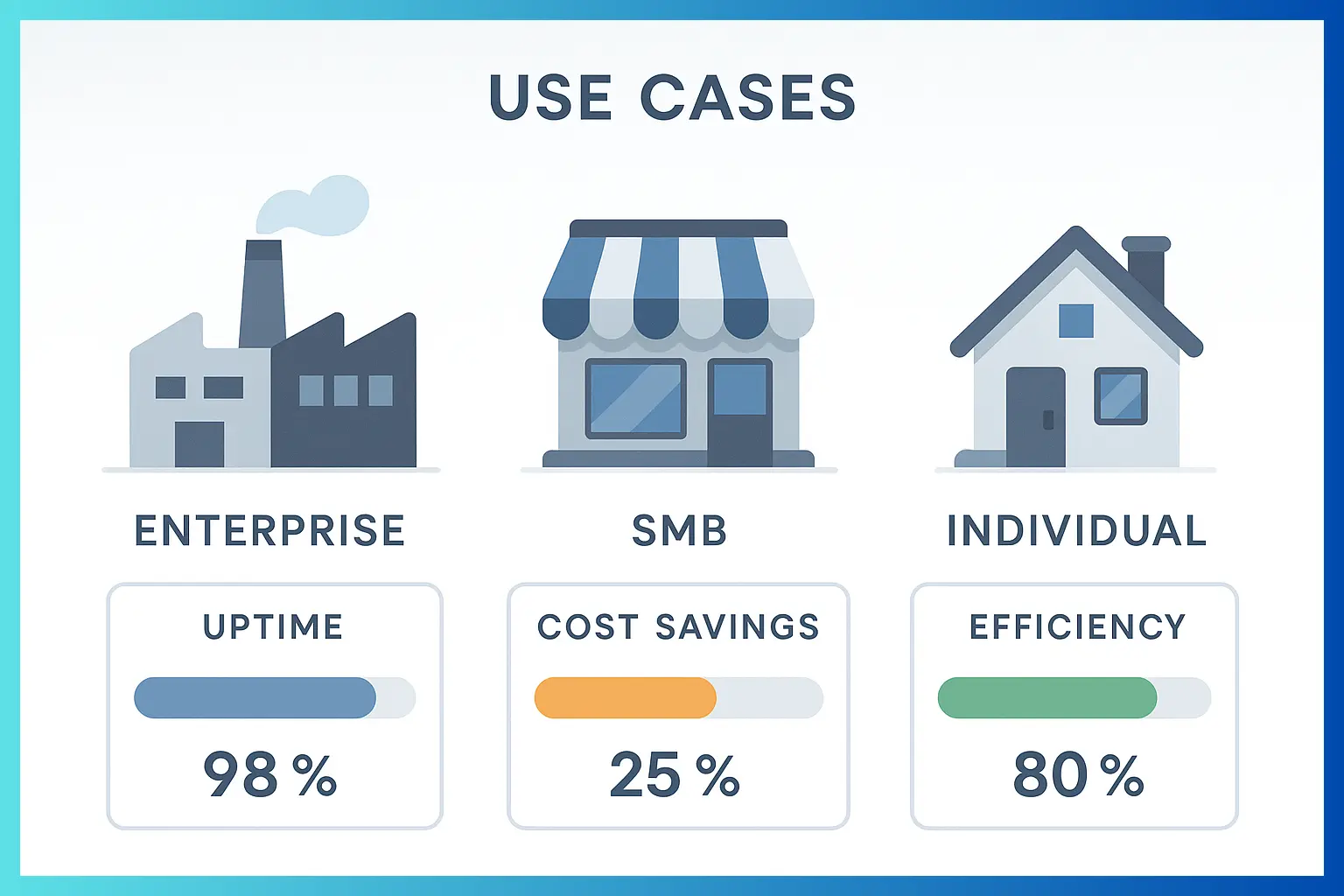
- High-Risk Enterprises: Banks, utilities, or government—NIST-mandated for critical systems.
- SMBs: Limited app sets make management easier; a 2023 SMB Cyber Report by Cisco showed a 75% adoption success rate.
- Kiosks/ATMs: Path-based whitelisting ensures only banking software runs.
- Remote Workforces: Publisher Whitelisting Secures BYOD Without Sacrificing Flexibility.
Case Study: A mid-sized hospital implemented hash + signature whitelisting with BeyondTrust, stopping a phishing-delivered trojan that blacklisting missed, saving $1.2M in potential downtime.
How to Implement Application Allowlisting Step-by-Step
- Assess Your Environment: Inventory all running apps with tools like PDQ Inventory.
- Choose from the Following Tools: Microsoft AppLocker (free for Windows), Carbon Black, or McAfee Application Control.
- Build the Whitelist: Start in audit mode, log denials without blocking.
- Test Thoroughly: Pilot on non-critical systems; monitor for false positives.
- Deploy and Maintain: Utilize automation for updates and review them quarterly.
- Train users on approval processes to prevent shadow IT.
3 key points summary
- Proactive Defense: Blocks zero-day/ransomware by allowing only trusted apps (68% reduction per Ponemon).
- Admin Control & Simplicity: Standardizes software, cuts support needs by 40% (Gartner).
- High Security for All Sizes: NIST-recommended; ideal for enterprises and SMBs with layered types like hash/signatures.
It’s a allow-only policy for software, pre-approve apps, block everything else to stop malware.
By blocking unapproved scripts and executables in real-time, even if they’re disguised as legit tools.
Microsoft AppLocker for Windows, Carbon Black for enterprises, or open-source like OSQuery for basics.
Yes! SMBs with stable apps deploy it faster and see quick ROI in security.
Use publisher-based rules for auto-approval or automate hash updates via CI/CD pipelines.

Account Transfer Applications to Bank For Different Purposes 10+ Samples (PDF Download)




- Be Respectful
- Stay Relevant
- Stay Positive
- True Feedback
- Encourage Discussion
- Avoid Spamming
- No Fake News
- Don't Copy-Paste
- No Personal Attacks
- Be Respectful
- Stay Relevant
- Stay Positive
- True Feedback
- Encourage Discussion
- Avoid Spamming
- No Fake News
- Don't Copy-Paste
- No Personal Attacks
